Pi · Mac · pre-release
The legal workbench as a native Mac app
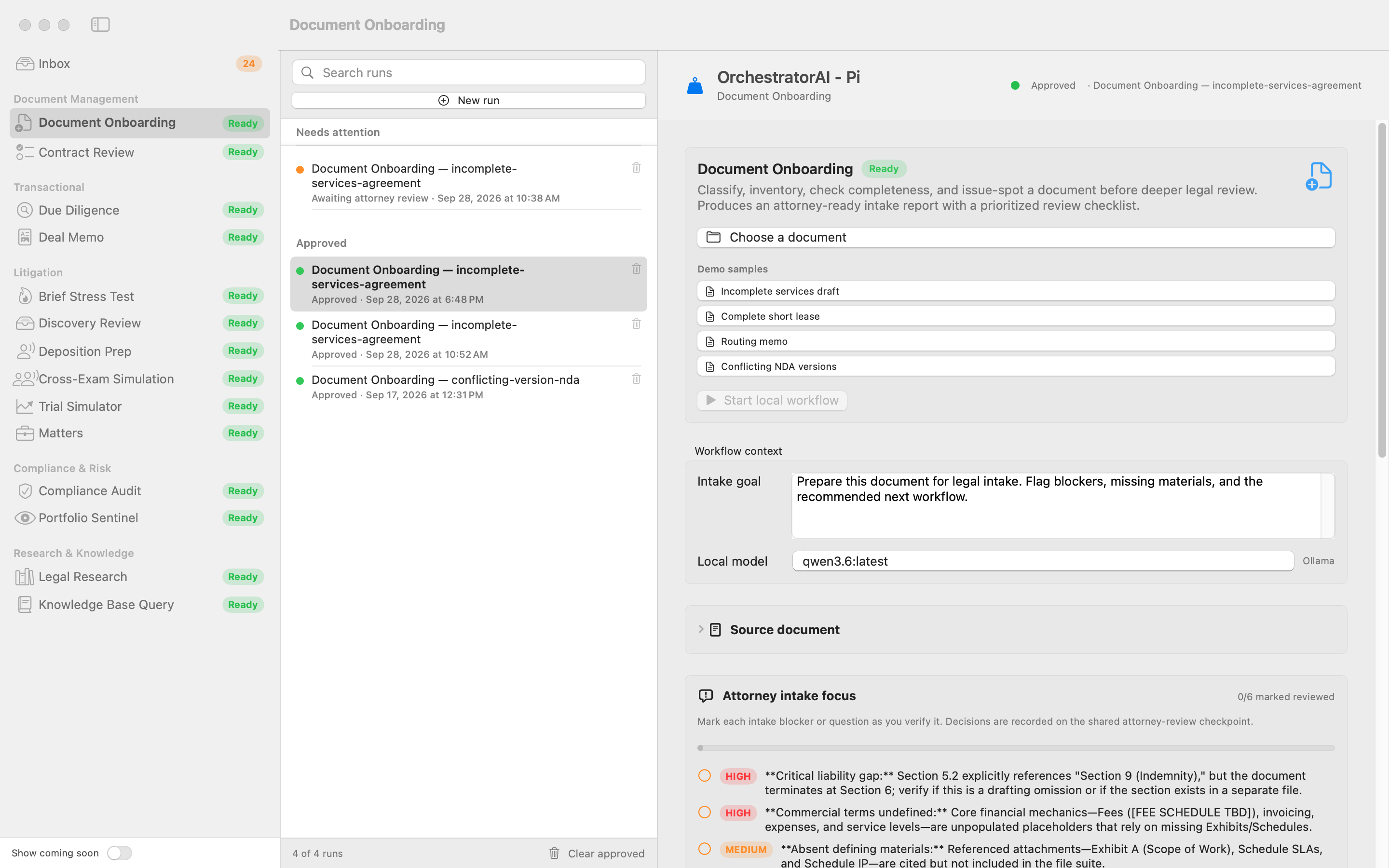
Pi carries the same legal workflows as Legal, rebuilt as a Mac app on top of Pi, an open-source coding agent. Each workflow is a single file, an attorney can stop a run in the middle, and every run resumes from its own journal.
For anyone asking whether this is one web stack or an idea that survives a change of stack.
Pre-release. Nothing hosted to sign in to, no download yet, and not for sale. The source is public while it is being built.
What it does
The same workflows, a different stack
One file per workflow
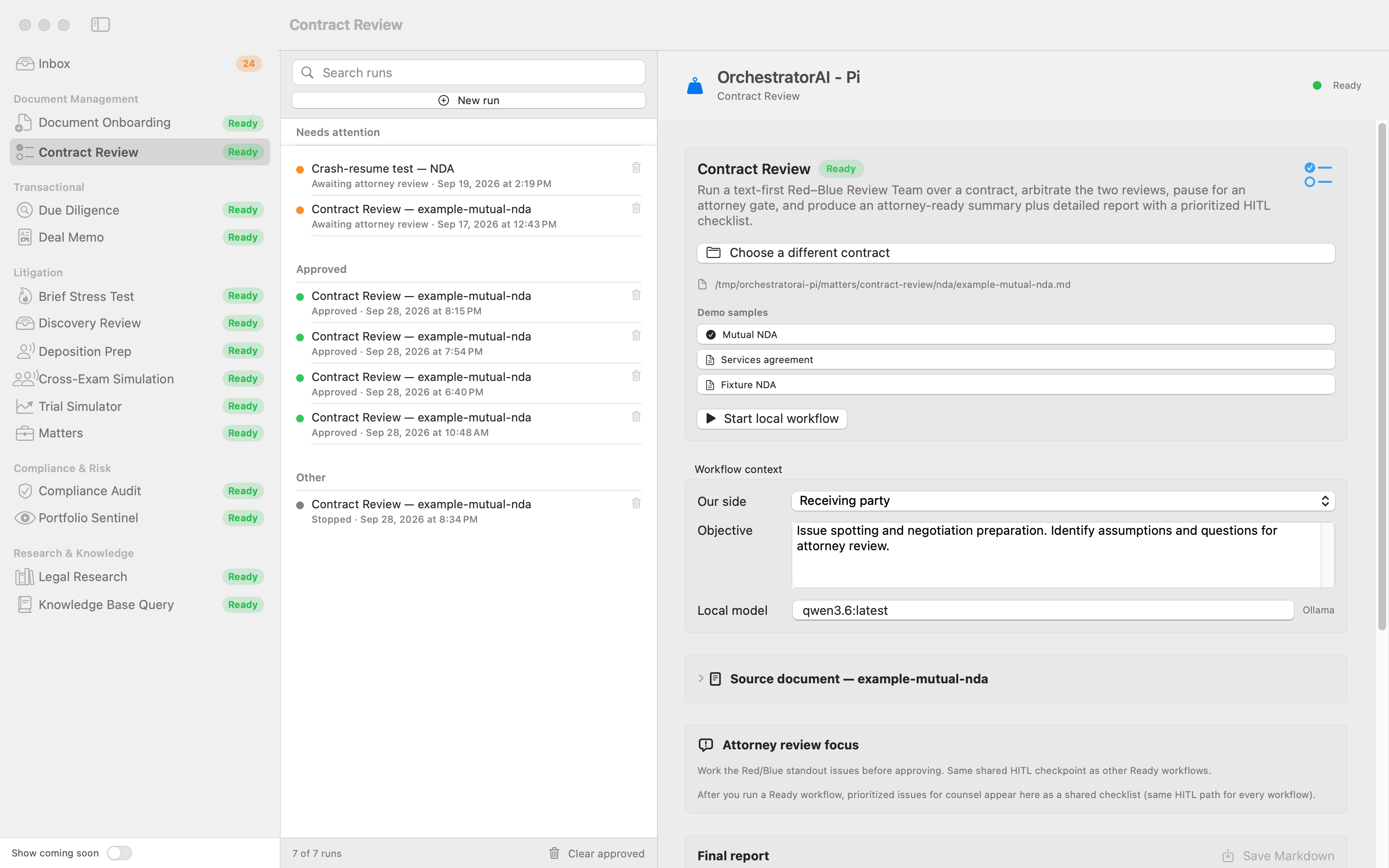
Each legal workflow is one YAML file that carries both its flow and its launch form. Drop a file in and it appears in the app's catalog, with no code change.
The app starts a workflow directly, with the values you entered. The model never decides whether a workflow runs, or which one.
Gates in the middle of a run
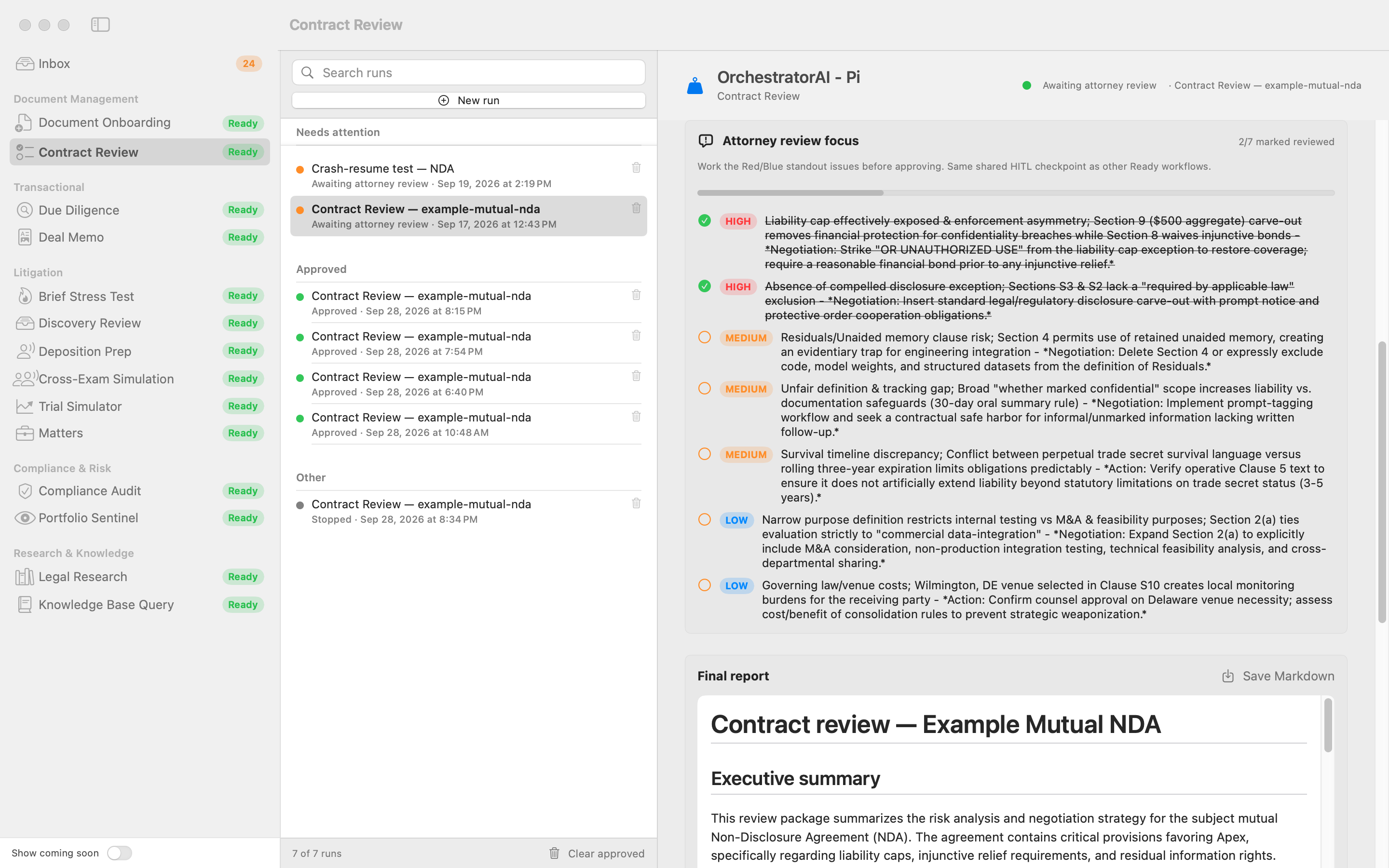
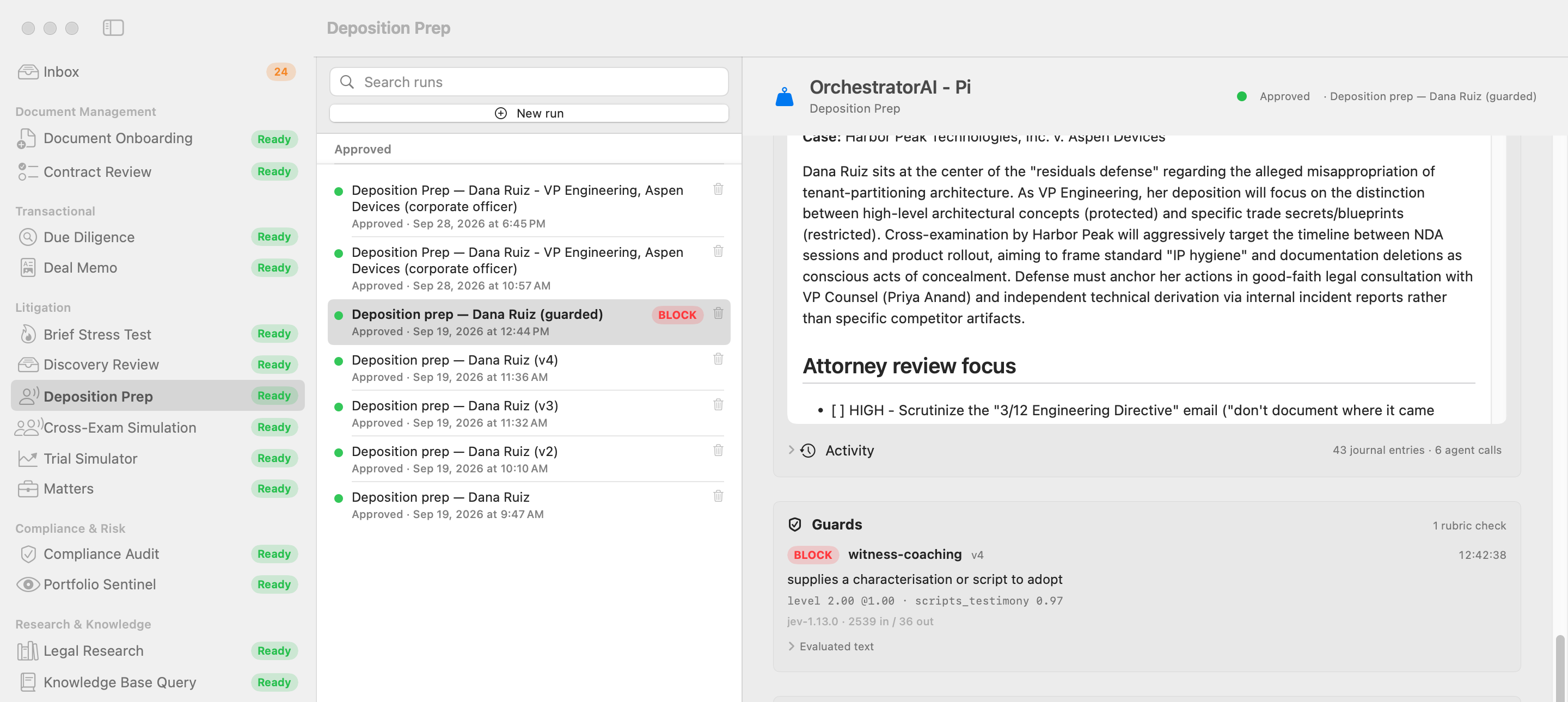
A workflow step can hand the run to the attorney. The run waits while they approve or request changes with direction, and the next step receives what they said. When the run finishes, a final review shows the report with its checklist of what to look at.
Every run resumes
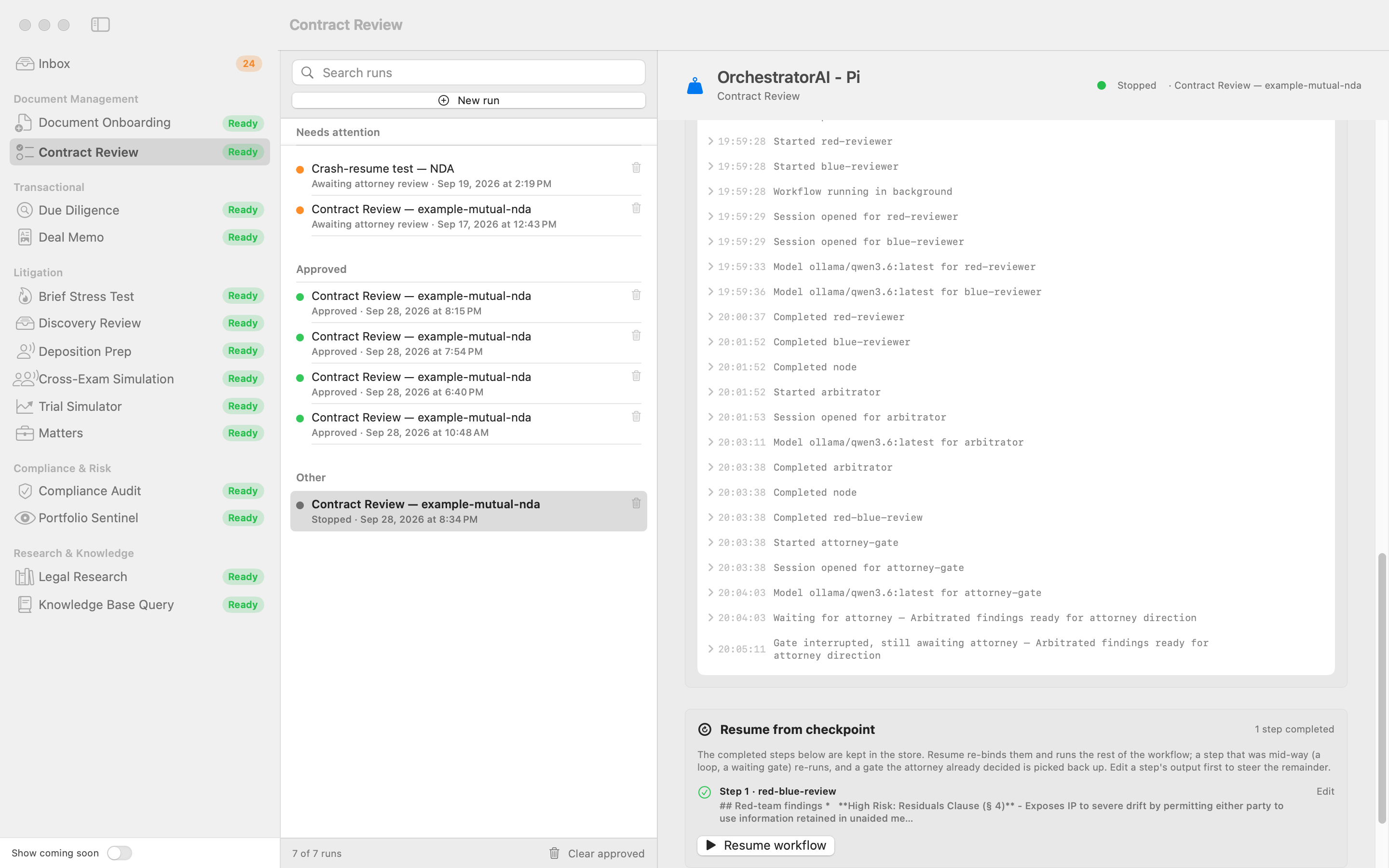
Every event of every run is written to a database on the Mac. If the app or the agent crashes, the run picks up from its journal rather than starting again.
A classifier, not a prompt
Where prompt rules failed to stop a local model from coaching a witness, a versioned rubric now checks the text and returns a calibrated decision: pass it, show it to counsel at a gate, or leave it out and say why.
Where it lives
- Hosting
- A Mac. Nothing runs in the cloud.
- Models
- Local models through Ollama, with the model named in the app.
- Data
- Runs, checkpoints and reviews in one SQLite file on the Mac. The app reads it; nothing is sent anywhere.
- Built on
- Pi, an open-source coding agent, with pi-agents for the workflows and a native SwiftUI app around them.
Where it stands
- It is pre-release: there is no download and no hosted instance.
- It is not the Legal license; it is the proof that the same workflows and review gates hold up on a different stack.
- The source is public on GitHub while it is being built.
How to work with us
Follow the build
Read the source, or ask for a walk-through on a Mac.
Bring it to your desk
If a Mac app on local models fits your firm better than a server, tell us; that shapes what Pi becomes.